
Create a Webhook
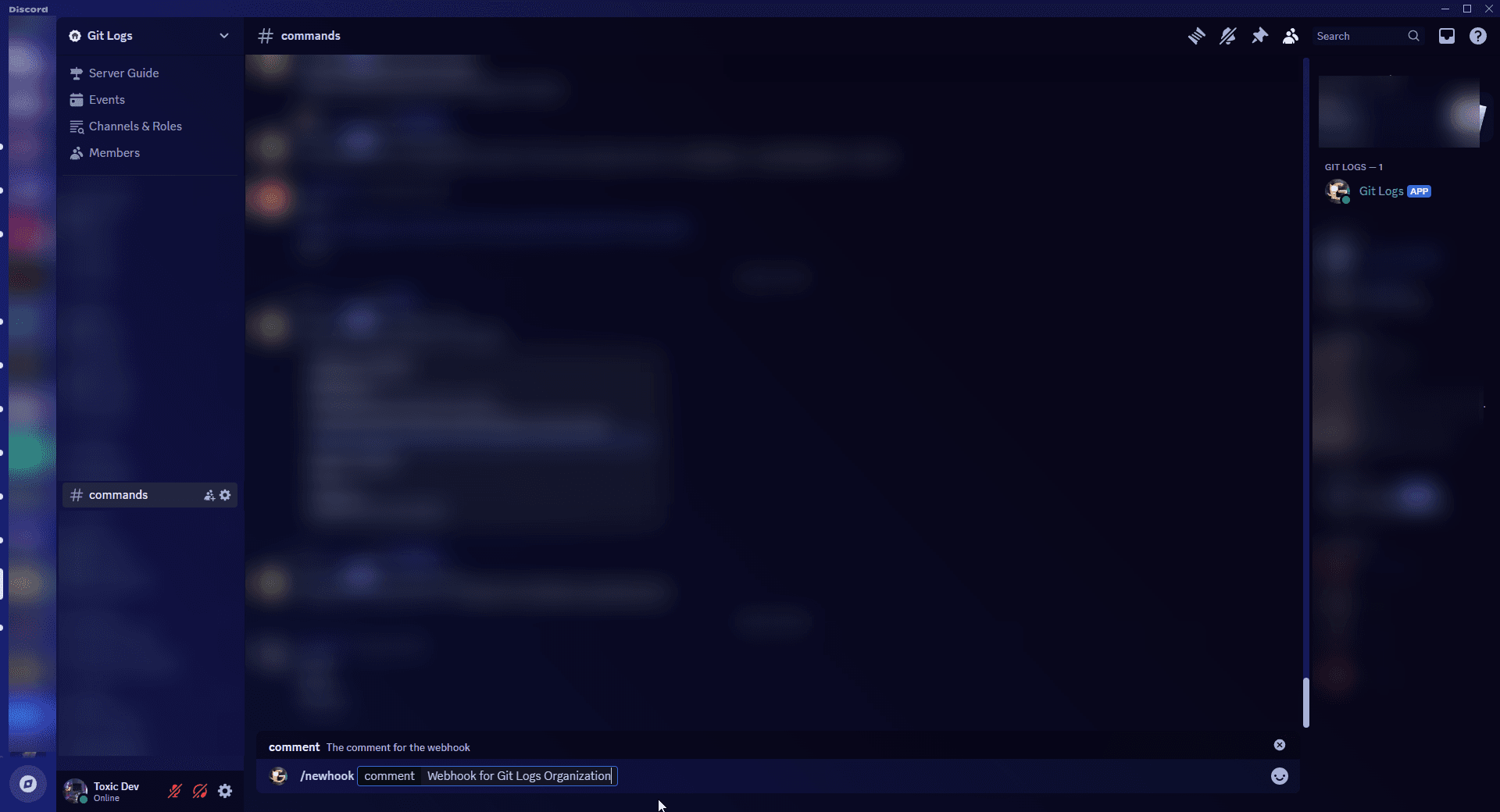
Run /newhook to generate your webhook URL and secret credentials.
A webhook is a record that connects your Discord server to the Octoflow API. You must create one before you can start monitoring repositories.
Both you and the bot need Use Application Commands permission in the channel where you run /newhook. Your DMs must also be open from server members — the bot sends your credentials via DM.
Each Discord server can have a maximum of 5 webhooks.
Run /newhook
In any channel where the bot has permission, run:
The comment parameter is a label to help you identify this webhook later when you run /list. The optional broken flag defaults to false.
Check your DMs
The bot will reply in the channel to confirm the webhook was created, then DM you your credentials. The DM contains:
- Webhook URL — paste this into GitHub's webhook settings as the Payload URL
- Webhook Secret — paste this into GitHub's webhook Secret field
- Webhook ID — you'll need this when running
/newrepo
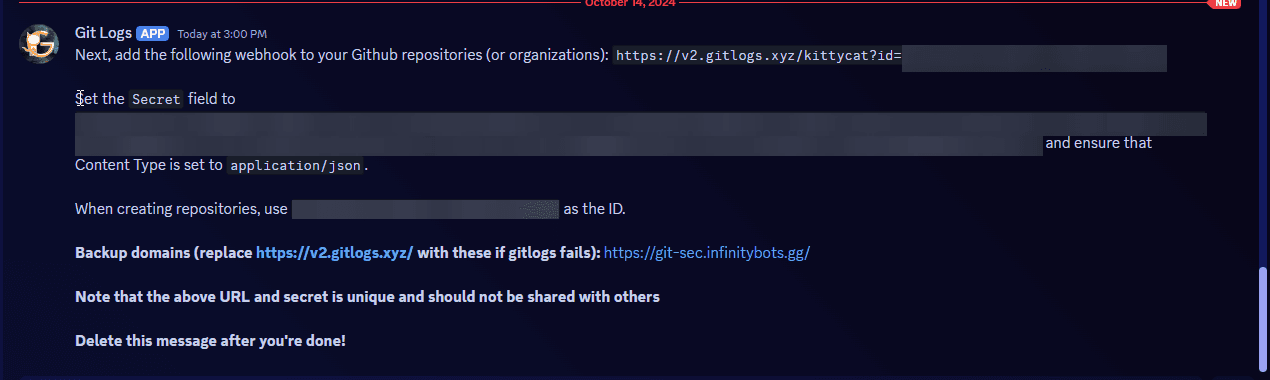
Delete the DM after you've saved your credentials elsewhere. Do not share the secret with anyone.