
Invite the Bot
Add Octoflow to your Discord server using the official invite link.
You need Manage Server permission in the target Discord server to invite bots.
Visit the invite link
Go to /invite. Discord's authorization flow will open.
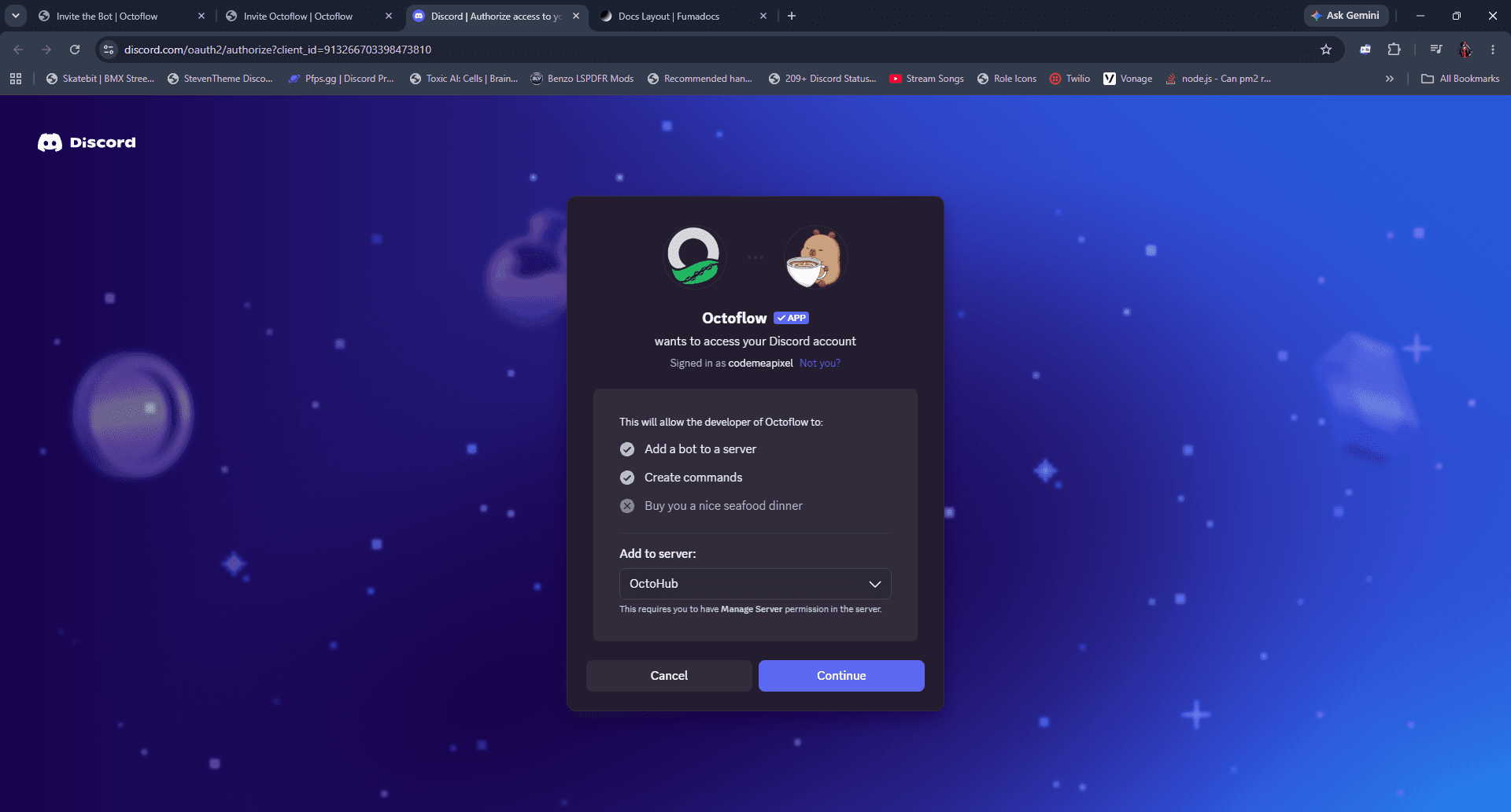
Choose your server
Select the server you want to add Octoflow to from the ADD TO SERVER dropdown, then click Continue.
Review permissions
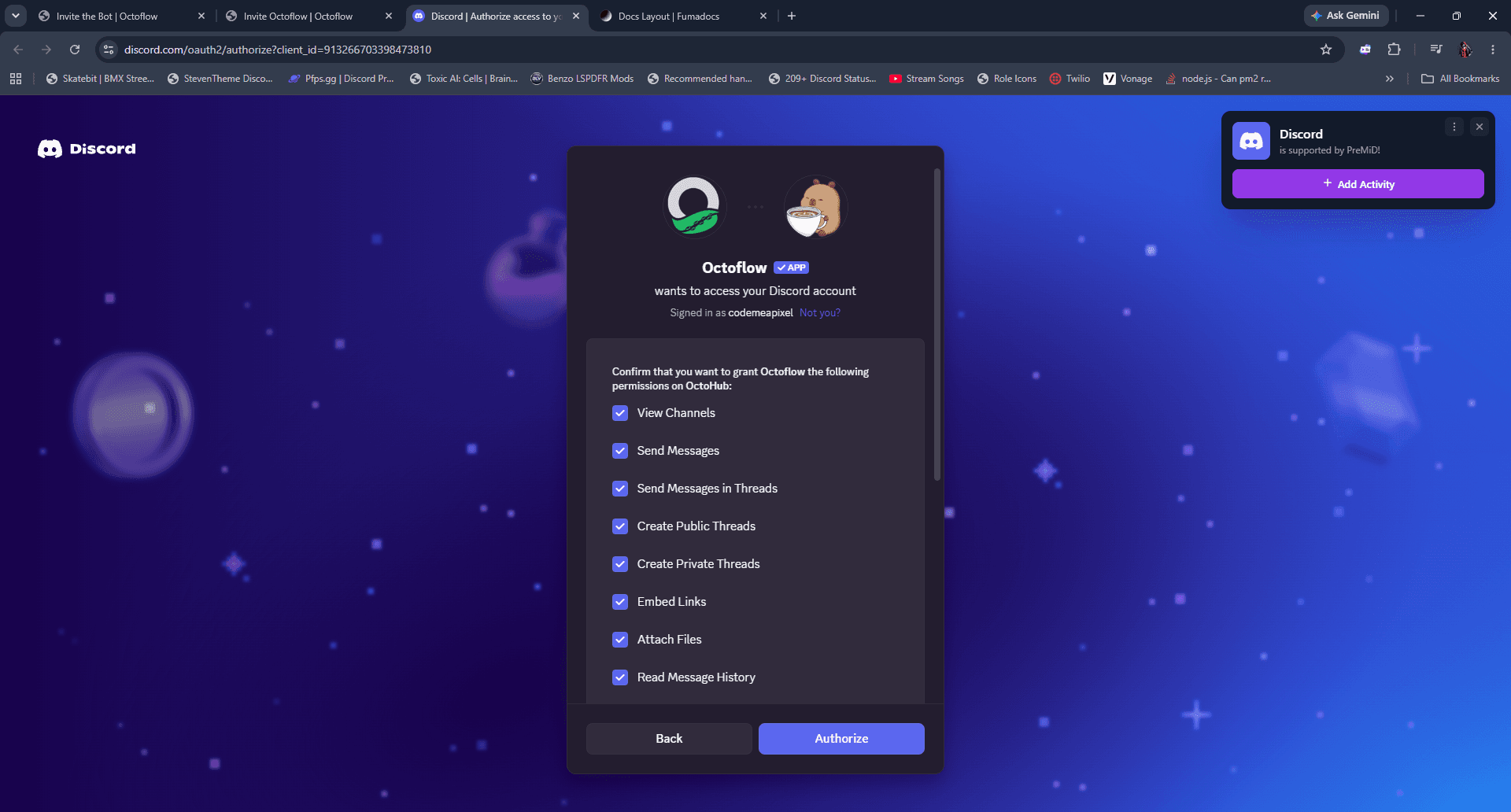
We recommend keeping all default permissions enabled. Removing permissions (especially Send Messages or Embed Links) will break event delivery.
Octoflow requests a minimal set of permissions needed to deliver formatted webhook notifications to your channels. Review them and click Authorize.
Once the bot joins your server, head to Create a Webhook to generate your first webhook.